

- This topic is empty.
-
Topic
-
If the user clicks on OK when prompted to create a new status, the following input window will be displayed.
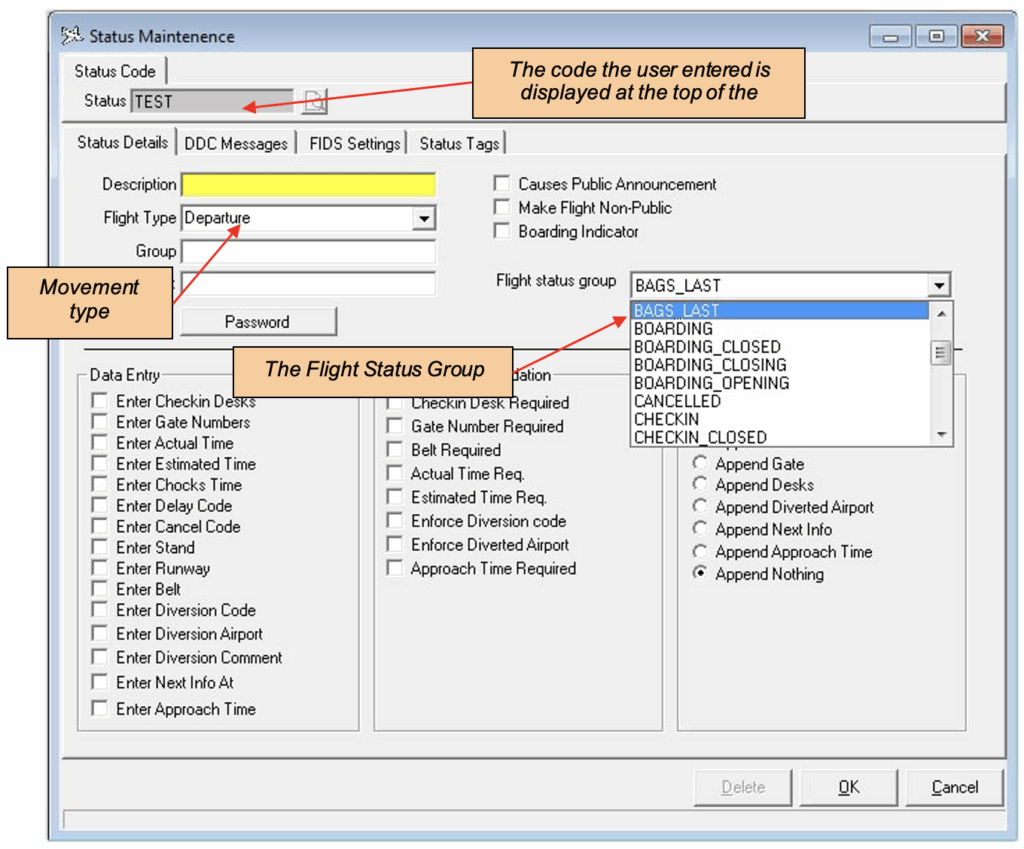
The flight status group represents the standardised Gen8 flight statuses. Specifying the flight status group defines the mapping from the Gen7 status to the relevant Gen8 status.
There are four tabs across the top of the screen:
- Status Details
This screen allows the user to define any inputs required when this status is selected, any validation required and whether anything needs to be appended to the message the status generates.
- DDC Messages
This screen allows the user to configure the messages that will be displayed around the airport when this status is created.
- FIDS Settings
If any of the system flags need to be updated when this status is activated the user will select them here.
- Status Tags
Any system tags applicable to this status are assigned by the user here.
- You must be logged in to reply to this topic.